
Shared context for AI tools
How to build a team second brain (step by step)
A team second brain is one curated context every teammate's AI reads. Here is how to build one in five steps, starting small and letting your AI keep it current.
A team second brain is one curated context that every teammate's AI reads automatically, so the whole team's tools share the same memory instead of guessing alone. Building one sounds heavy. It is not. The fastest path is to start thin, connect one tool, and let your AI keep the brain current as work happens.
Here is the step-by-step, and the one mistake to avoid: do not try to move your team's entire knowledge base in on day one. A few lines of real context beats a blank slate immediately.
Step 1: Write a little real context
Start with what is true and stable: a few lines on the company, the product you are building, the current project, and the conventions you actually follow. This is the structure a tool needs to place an answer. It does not need to be complete. It needs to be real. A thin, accurate context outperforms a long, stale one on the very next task.
Step 2: Structure it so a tool can read the slice it needs
A second brain is not a flat pile of notes. Organize it so an AI tool can pull the part that fits the task: the company and how it works, the products, the teams and projects in flight, and each person's role. The point is that a tool reads the relevant slice, not the whole thing. For what belongs in it, see what is shared context for AI tools.
Step 3: Connect one AI tool over MCP
Point one tool at the shared context over the Model Context Protocol (MCP), the open standard for connecting AI tools to outside context. Connect Claude Code or Cursor once, then watch the next answer fit your situation instead of guessing. One connected tool reading real context is the moment the second brain starts earning its keep.
Step 4: Let the loop run so your AI keeps it current
This is the step that makes it a brain and not a folder. As your AI works, it writes activity, decisions, and tasks back, and updates the context itself. You review what matters; the rest keeps the brain current automatically. You are not signing up to maintain a wiki. The work maintains it.
The mistake to avoid
Do not boil the ocean. Teams that try to document everything before connecting a single tool stall out. Write a thin, true context, connect one tool, and let the loop fill in the rest.
Step 5: Bring the team in
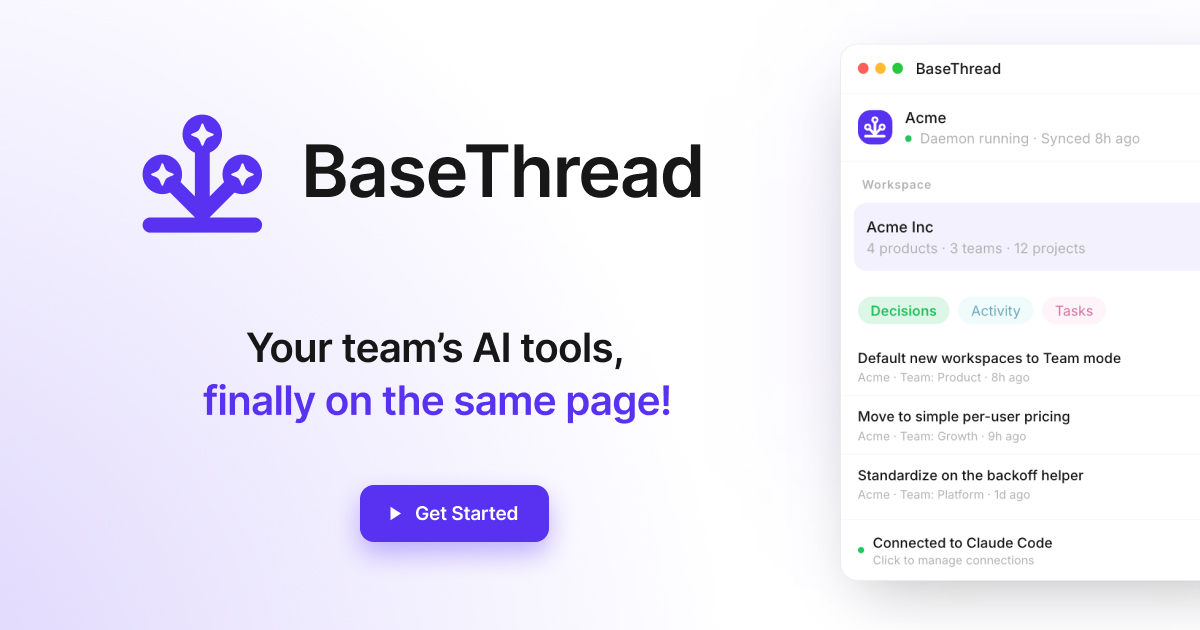
The moment a second teammate's AI reads the same context, you cross from convenience to coordination. One curated context graph means engineering, design, and product work from the same decisions, not three private versions. A decision logged once, by the AI that watched the conversation, reaches every other teammate's tools from then on. This is where a second brain stops saving you keystrokes and starts keeping the team aligned, and it is the case we make in a second brain for your team's AI.
A good first proof point is onboarding: connect a new hire's tools and watch them start caught up. See how to onboard a new engineer's AI on day one.
TL;DR
To build a team second brain: write a few lines of real context, structure it so a tool can read the slice it needs, connect one AI tool over MCP, let the loop run so your AI writes activity and decisions back, then bring the team in. Start thin and let it compound; do not try to document everything first. BaseThread is built to do exactly this, with the curation you control and the upkeep handled by your AI.
One curated context, read by every tool your team uses and kept current by your AI.
Related reading
A second brain for your team's AI
A second brain for your team's AI is one curated context every tool reads, so the whole team's assistants share the same memory instead of guessing alone.
What is shared context for AI tools? (2026 guide)
Shared context for AI tools is the company, project, and decision background every AI reads automatically, so your whole team's tools stop guessing.
Best ways to give your AI team context in 2026
The best ways to give your AI team context in 2026, from rules files and wikis to memory and a shared context layer, with the honest tradeoffs of each.
How to onboard a new engineer's AI on day one
Onboard a new engineer's AI tools on day one: give their Claude Code and Cursor your team's context, decisions, and recent activity so they ship sooner.
Frequently asked questions
How do you build a team second brain?
Start small: write a few lines of real context (the company, the current project, the conventions you follow), structure it so a tool can read the slice it needs, connect one AI tool over MCP, then let the loop run so your AI writes activity and decisions back as work happens. Bring teammates in once one tool is reading it. You do not need to move your whole knowledge base on day one; a thin, true context beats a blank slate immediately.
How long does it take to set up a team second brain?
The first useful version takes minutes, not weeks. A few lines of real context plus one connected tool is enough to see better answers on the next task. It compounds from there: as your AI writes activity and decisions back, the brain gets sharper on its own, and each teammate who connects adds coverage.
Do we have to write all the context by hand?
No. You curate the high-level structure (the company, products, teams, projects), but the running record of activity, decisions, and tasks is written by your AI as work happens. The point of a team second brain is that it stays current on its own, not that someone maintains a wiki.


